dsh-mobile-ui
在终端中运行以下命令:
dsh plugin install Canary-Builds/dsh-mobile-ui
将以下提示词粘贴到 DeepSeek Harness 对话框中:
在终端运行 dsh plugin install Canary-Builds/dsh-mobile-ui 即可将插件(开源地址:https://github.com/Canary-Builds/dsh-mobile-ui)安装到 DeepSeek Harness 的 web profile 中,重启 DSH 后刷新浏览器即可生效。
插件介绍
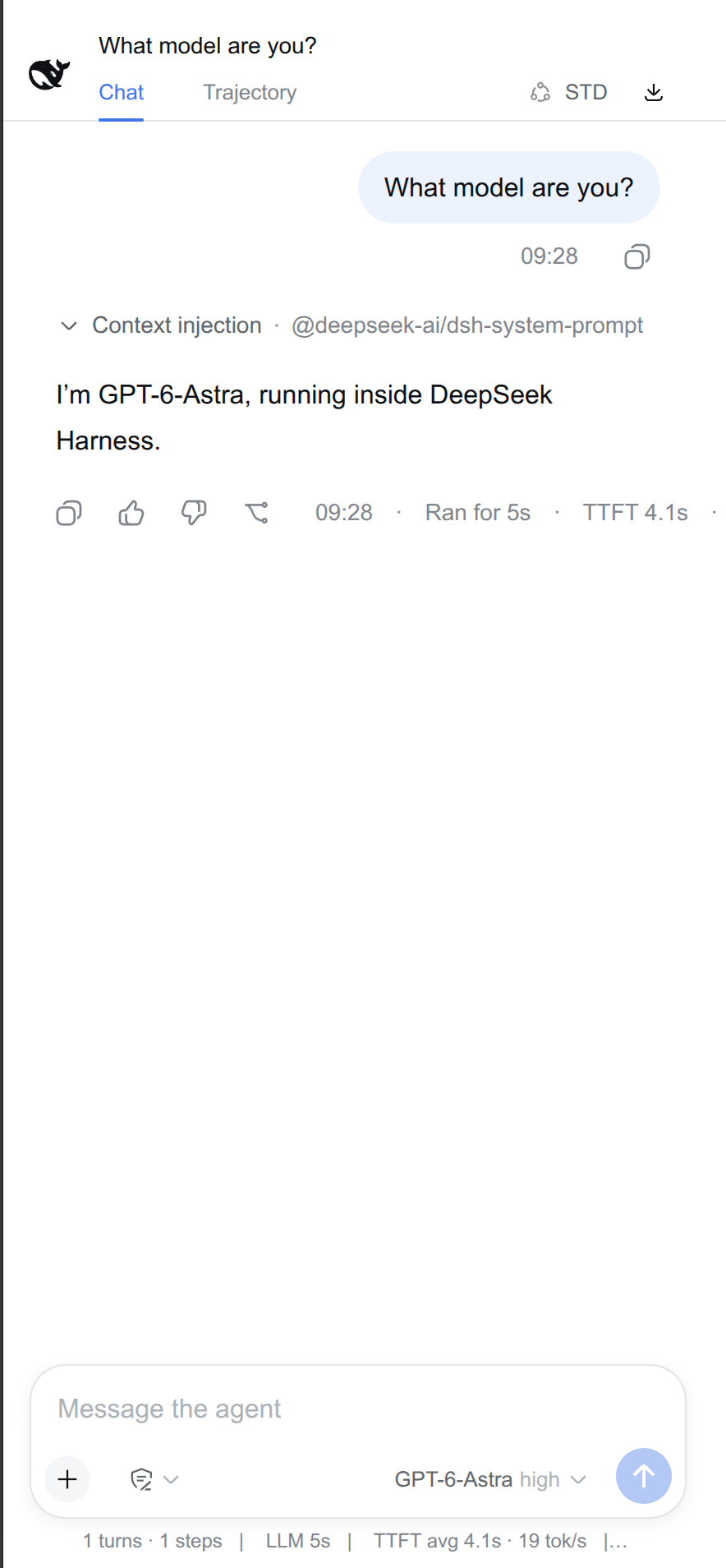
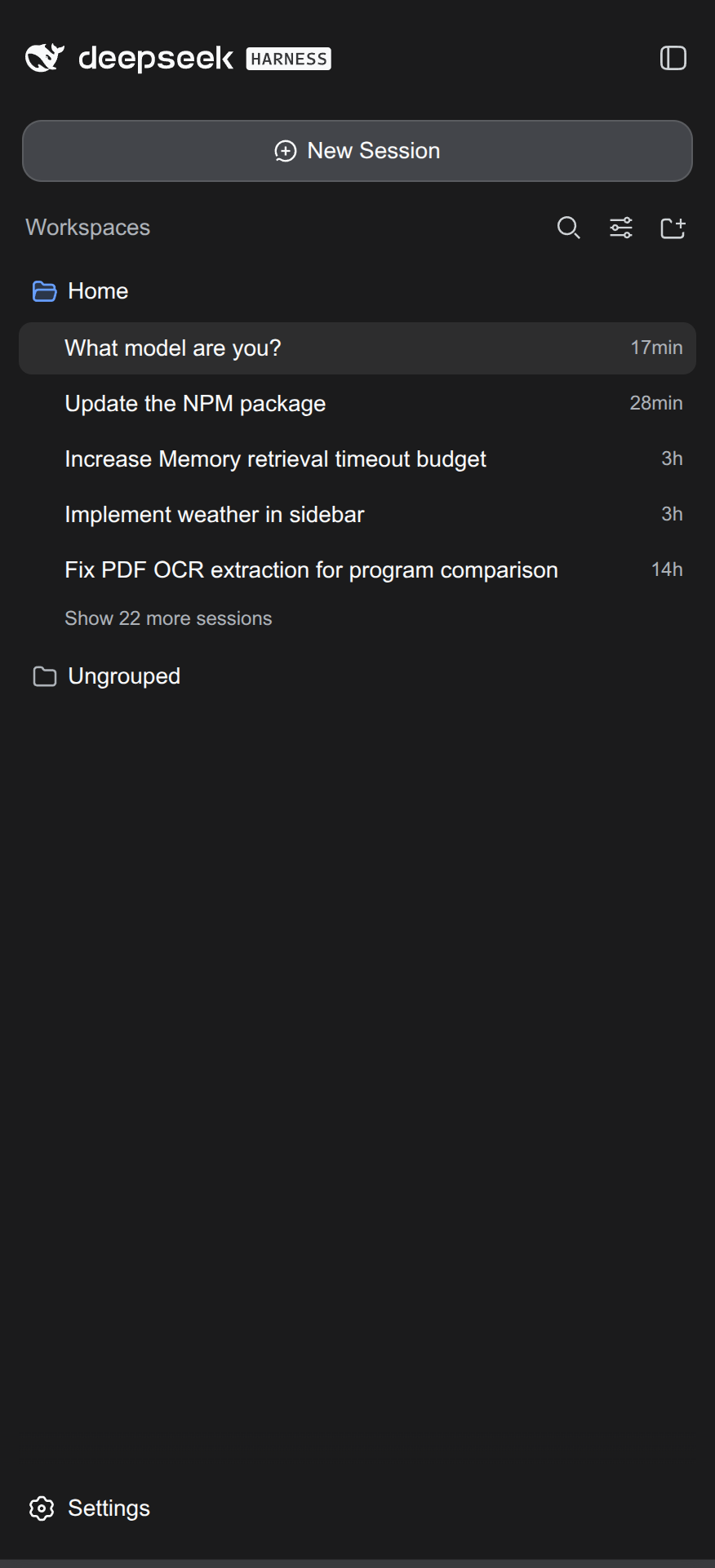
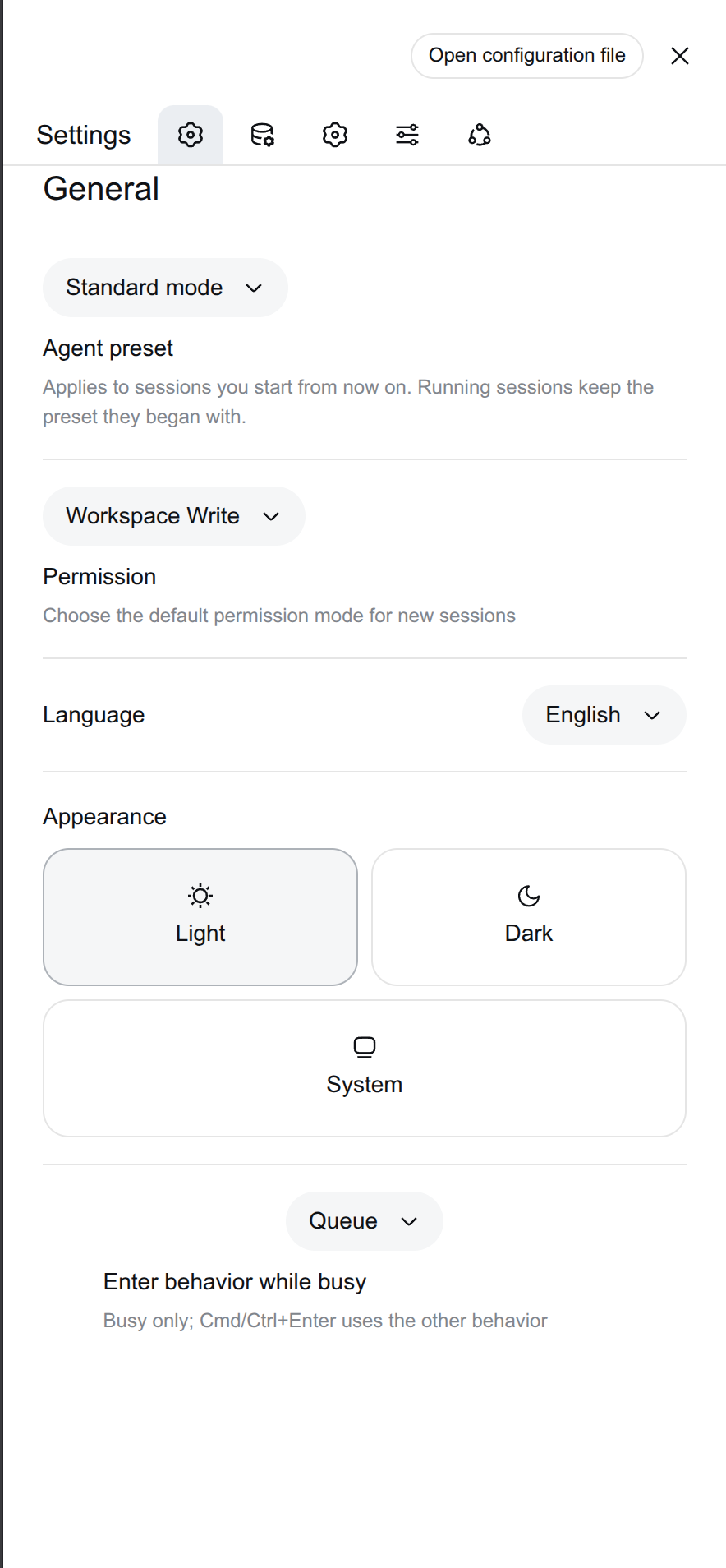
The DeepSeek Harness web GUI is built for desktop tabs. On a phone or tablet the wide sidebar, generous padding, and the inability to install as a standalone window make reading and interaction feel cramped. dsh-mobile-ui steps in as a Cordis plugin that reshapes the existing Harness interface into an app-grade mobile experience: collapsing the sidebar removes the 56px icon rail entirely so the chat area spans the full screen; tapping the floating whale launcher opens the sidebar as a fullscreen overlay, and selecting a session auto-collapses it. The top-bar agent-preset chip, session-export button, full-screen settings sheet, and tighter bubble layout are all rethought for one-thumb touch use.
The plugin is device-aware via display-mode or pointer:coarse, scoping every visual change to mobile and PWA windows only. Desktop browser tabs continue to render the stock UI with zero interference. On the PWA side, dsh-mobile-ui injects a manifest with display_override so the GUI installs as a genuine standalone window on the home screen while keeping the Android notification bar visible—more practical than DSH's bundled fullscreen manifest.
If you regularly check sessions or switch agent presets from a phone or tablet, or want a dedicated DSH window on your home screen, this plugin is worth a try. It is the official successor to dsh-plugin-splash with fuller feature coverage and no extra build steps.
截图预览
使用场景
- 在手机上以全屏宽度查看DeepSeek Harness会话
- 在平板上通过浮动鲸鱼按钮展开侧边栏切换Agent预设
- 将DSH Web GUI安装为手机桌面的独立应用窗口
- 从旧版dsh-plugin-splash平滑迁移到新版移动端界面
适合人员
- 经常用手机或平板查看DSH会话的开发者
- 希望获得PWA独立窗口体验而非桌面标签页的用户
- 从dsh-plugin-splash升级过来的现有插件用户
相关插件
DSH 服务化侧边栏框架,提供文件工作台、内嵌浏览器、真实终端、Git 面板等完整工作台,并开放服务供插件扩展。

美观实用的 Claude Code 风格 TUI 插件:像素鲸鱼顶栏、流光大字、实时状态行、思考流式展开、时间回溯、上下文进度条与 TPS 仪表,零核心改动。

DeepSeek Harness 插件市场:浏览/搜索/一键安装社区插件与主题,支持更新、备份、热禁用、诊断与AI修复。

DSH Web 界面右下角常驻小鲸鱼余额挂件,自动显示 DeepSeek 余额、今日已用与每轮对话消耗,支持拖拽吸附与音效。