dsh-mcp-plus
在终端中运行以下命令:
dsh plugin install sojo-negai/dsh-mcp-plus
将以下提示词粘贴到 DeepSeek Harness 对话框中:
在 DeepSeek Harness 中执行 dsh plugin install sojo-negai/dsh-mcp-plus 即可安装本插件,完整源码地址为 https://github.com/sojo-negai/dsh-mcp-plus
插件介绍
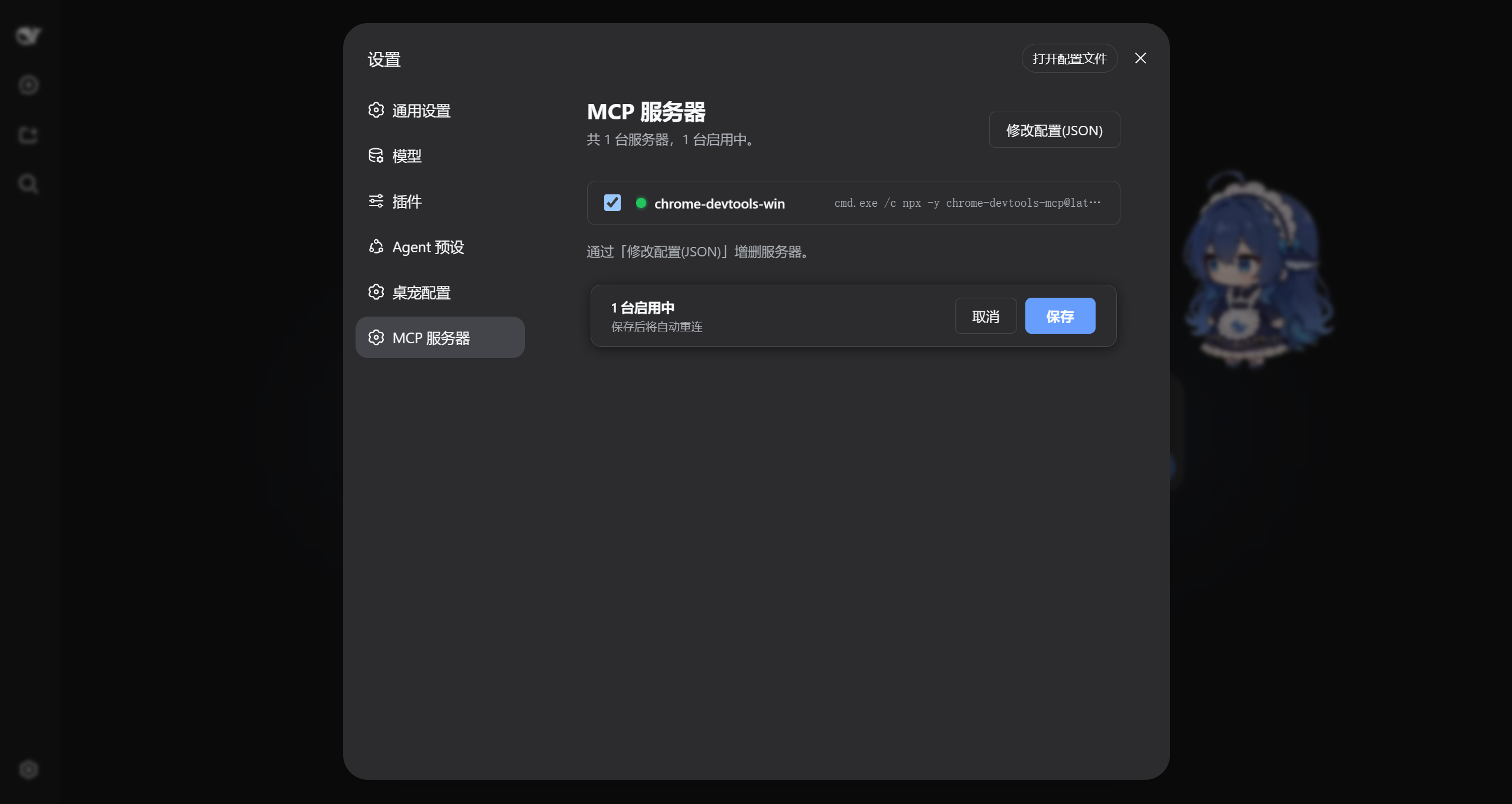
Running more than one MCP server under DSH used to mean diving into a yml file, editing it by hand, restarting the whole harness, and hoping the connection came up. dsh-mcp-plus moves that workflow directly into the DSH settings panel under an MCP Servers tab, where you edit JSON right in the browser and watch a live status dot for every server at a glance.
Each server carries its own enabled toggle, so a configuration can be parked without being deleted and brought back with one click. Hit Save after any edit and the plugin reconnects and re-registers the discovered tools for the Agent on the spot, with no harness restart needed. The accepted config format is a direct drop-in for the Claude Desktop mcpServers JSON format, which makes porting an existing definition as simple as pasting it in.
This plugin is built for developers who keep two or more MCP servers running under DSH and find themselves tweaking command-line arguments, swapping environment variables, or temporarily disabling a server more often than a one-line terminal edit should be. Instead of switching windows, editing a file, and restarting to verify a small change, open the settings page, check the status dots, tweak the JSON, save, and the tools are already available to the Agent.
截图预览
使用场景
- 在设置页面集中管理多台 MCP 服务器,无需手动编辑 yml 文件
- 临时禁用某台服务器保留配置,需要时一键重新启用
- 保存配置后自动重连并重新注册工具,无需重启 DSH
适合人员
- 同时运行两台及以上 MCP 服务器的 DSH 用户
- 频繁调整 MCP 服务器命令行参数或环境变量的开发者
- 希望从 Claude Desktop 迁移 mcpServers 配置到 DSH 的团队
相关插件
DSH 服务化侧边栏框架,提供文件工作台、内嵌浏览器、真实终端、Git 面板等完整工作台,并开放服务供插件扩展。

美观实用的 Claude Code 风格 TUI 插件:像素鲸鱼顶栏、流光大字、实时状态行、思考流式展开、时间回溯、上下文进度条与 TPS 仪表,零核心改动。

DeepSeek Harness 插件市场:浏览/搜索/一键安装社区插件与主题,支持更新、备份、热禁用、诊断与AI修复。

DSH Web 界面右下角常驻小鲸鱼余额挂件,自动显示 DeepSeek 余额、今日已用与每轮对话消耗,支持拖拽吸附与音效。