dsh-livebench-rankings
在终端中运行以下命令:
dsh plugin install addie-ace/dsh-livebench-rankings
将以下提示词粘贴到 DeepSeek Harness 对话框中:
在 DeepSeek Harness 中运行 dsh plugin install addie-ace/dsh-livebench-rankings 即可安装本插件,源码仓库地址为 https://github.com/addie-ace/dsh-livebench-rankings ,安装后刷新页面即可使用。
插件介绍
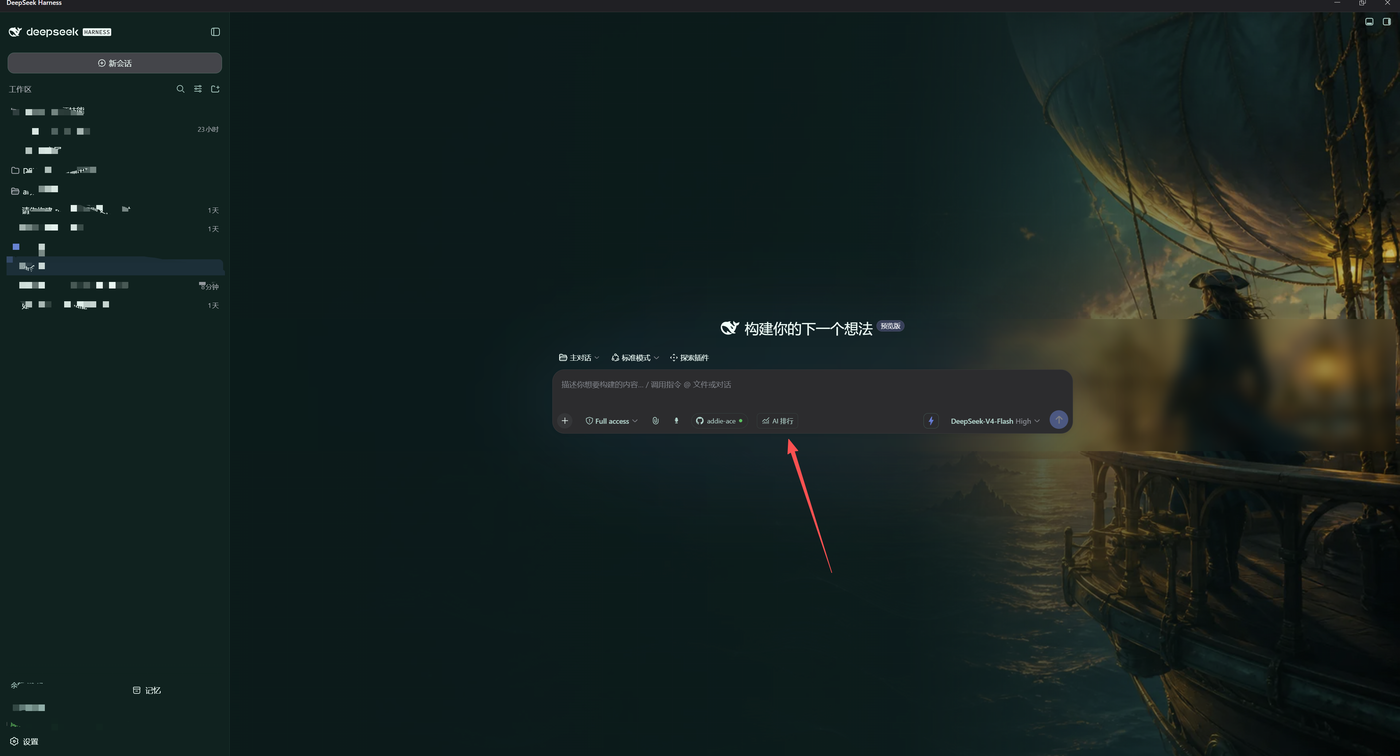
Opening a browser, waiting for LiveBench to load, skimming the table, then switching back to your workspace—dsh-livebench-rankings collapses that loop into a single AI Rankings button tucked into the lower-left corner of the Harness input bar. It pulls the official CSV and category JSON straight from livebench.ai, detects the latest front-end release, and silently re-checks every 60 seconds by default (manual refresh anytime). On network failure it tells you it is serving cache; it never fabricates or pads scores.
Once open, you get a full-featured leaderboard: filter by institution, open-weight status, or reasoning model; sort by individual task scores; search for a specific entry; each model family keeps its highest-scoring variant by default; compare up to four models side-by-side with task-level detail; export the current view as CSV. Everything is fetched as static resources only—no remote JavaScript execution, no global fetch overrides, no access to chat history. Cache lives purely in the plugin's own directory and vanishes on uninstall.
If you evaluate models day-to-day inside Harness, write comparison notes, or just want a quick score check without the browser tab dance, this plugin fills that micro-gap. It registers no global model tools, modifies no system prompt, and sits quietly under its own route—open when you need it, forget it exists when you do not.
截图预览
使用场景
- 在 Harness 输入框左下角一键打开最新 AI 能力排行榜,无需切换浏览器标签页
- 按机构、开放权重或推理能力筛选,对最多 4 个模型做任务级评分对比
- 将当前筛选与排序视图导出为 CSV,直接用于内部评估报告
适合人员
- 日常在 Harness 中评估 AI 模型能力、需要频繁查看排行的工程师
- 撰写模型对比笔记或选型文档的研究人员
- 希望免开浏览器、直接在 Harness 内获取权威排行榜的用户
相关插件

为 DeepSeek Harness 打造的免费联网搜索插件,支持网页搜索、X 搜索与页面抓取,免注册免 API Key,多引擎自动故障转移。

AnySearch 驱动的 DeepSeek Harness 联网插件,借助原生 web_search/web_fetch 实现实时搜索、内容清洗、垂直搜索与并发批量搜索,免 API key 快速开始。
Pixel-perfect 网页克隆工具,基于 agent harness 将任意网页克隆为可评分的 React 全页面副本。

DeepSeek Harness 会话费用统计插件,中英双语界面,支持预算、官方与自定义 Provider 余额、OpenCode Go/Coding Plan 额度、峰谷计价与提醒、历史统计等。