dsh-tmux-cc
在终端中运行以下命令:
dsh plugin install adrianleb/dsh-tmux-cc
将以下提示词粘贴到 DeepSeek Harness 对话框中:
在 DeepSeek Harness 中运行 dsh plugin install adrianleb/dsh-tmux-cc,该插件开源地址为 https://github.com/adrianleb/dsh-tmux-cc,安装后重启 dsh web 进程即可使用。
插件介绍
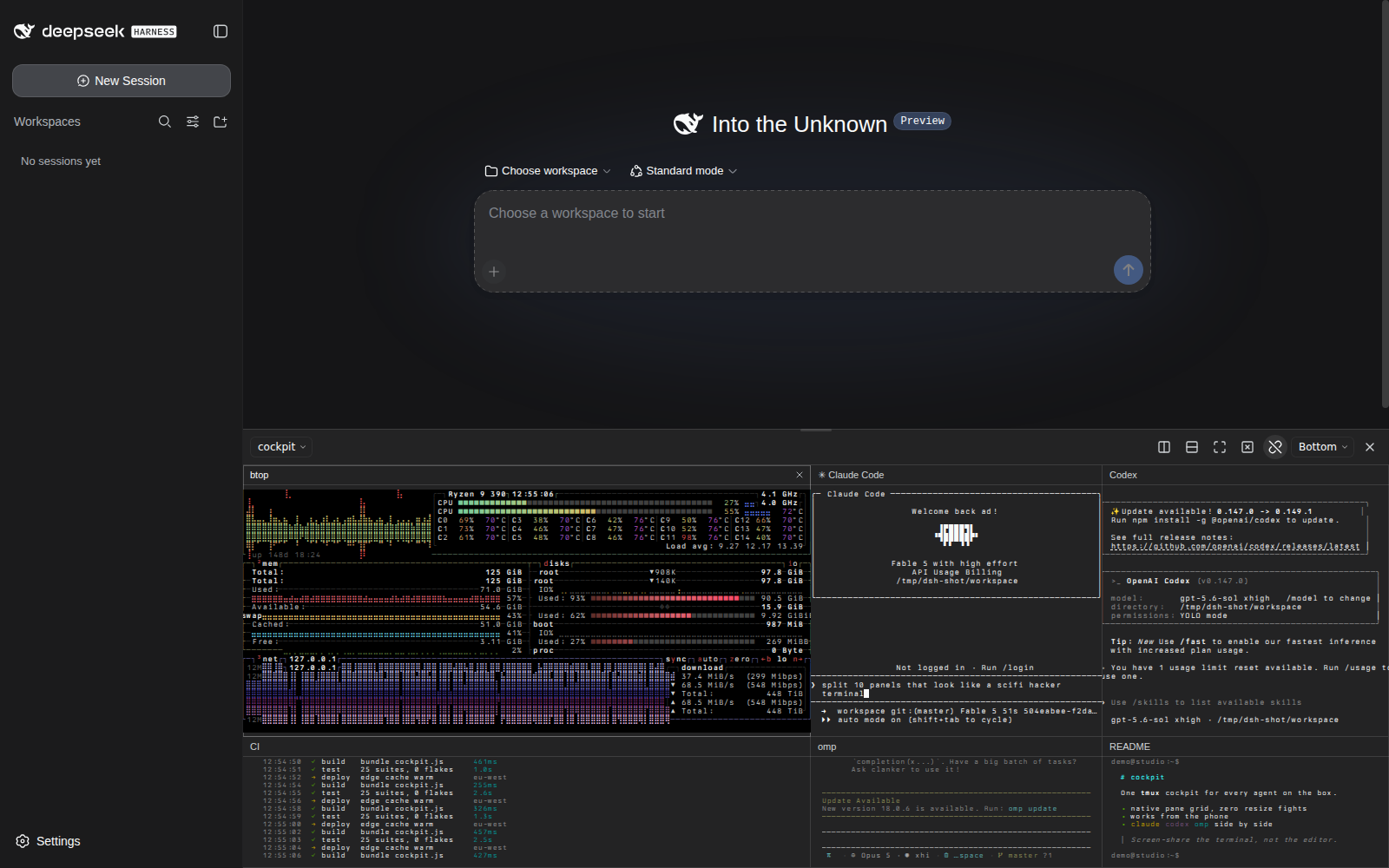
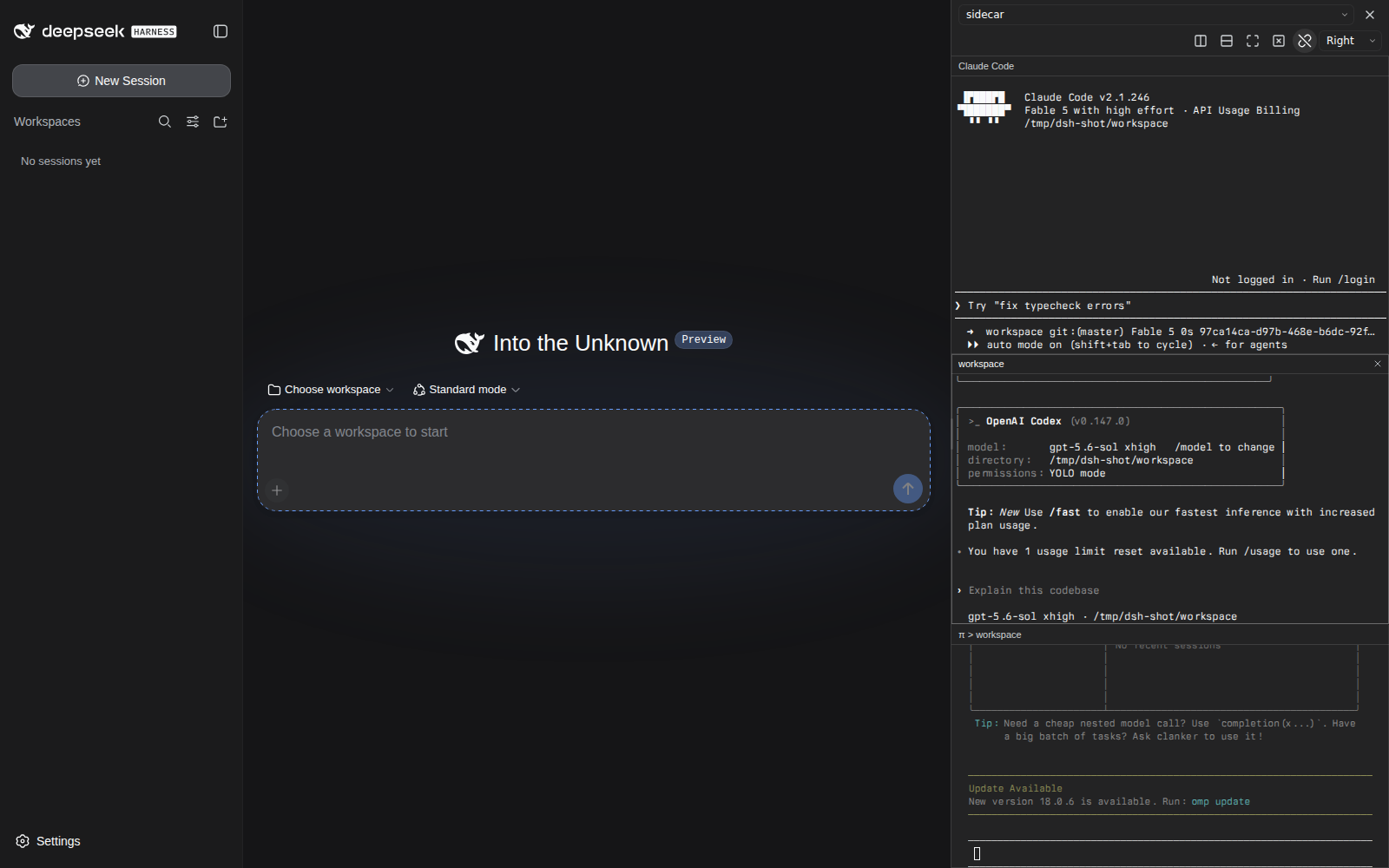
You are juggling an encoding agent, a CI log tail, and a system metrics pane in tmux, yet every time you switch DSH Web chats the terminal view vanishes and you are forced back to a desktop window. dsh-tmux-cc removes that friction: it attaches to an existing tmux session via control mode (tmux -C), renders every pane with xterm.js, and pins a persistent cockpit to the DSH Web shell so the view survives chat switches. The entire channel uses plain stdin/stdout pipes—no PTY, no native Node.js addon.
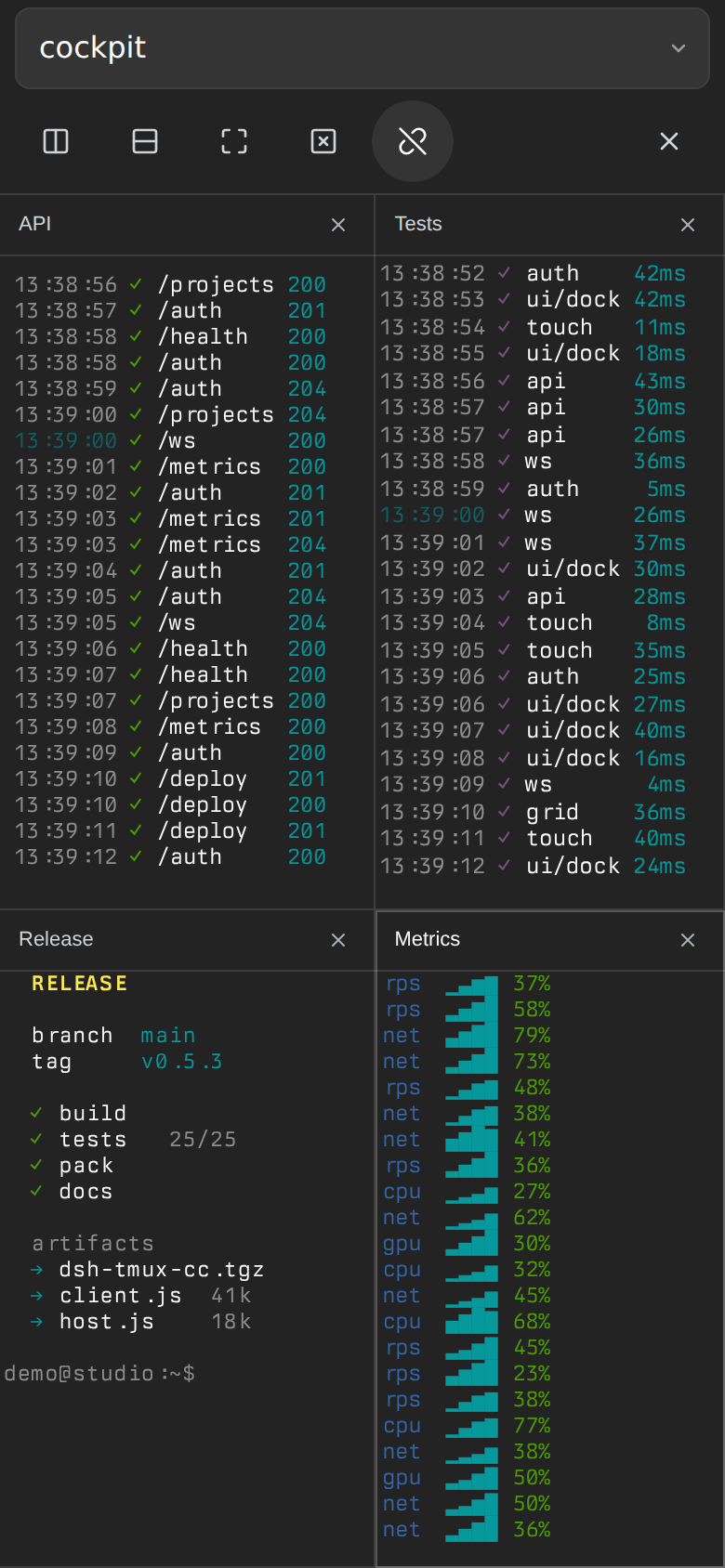
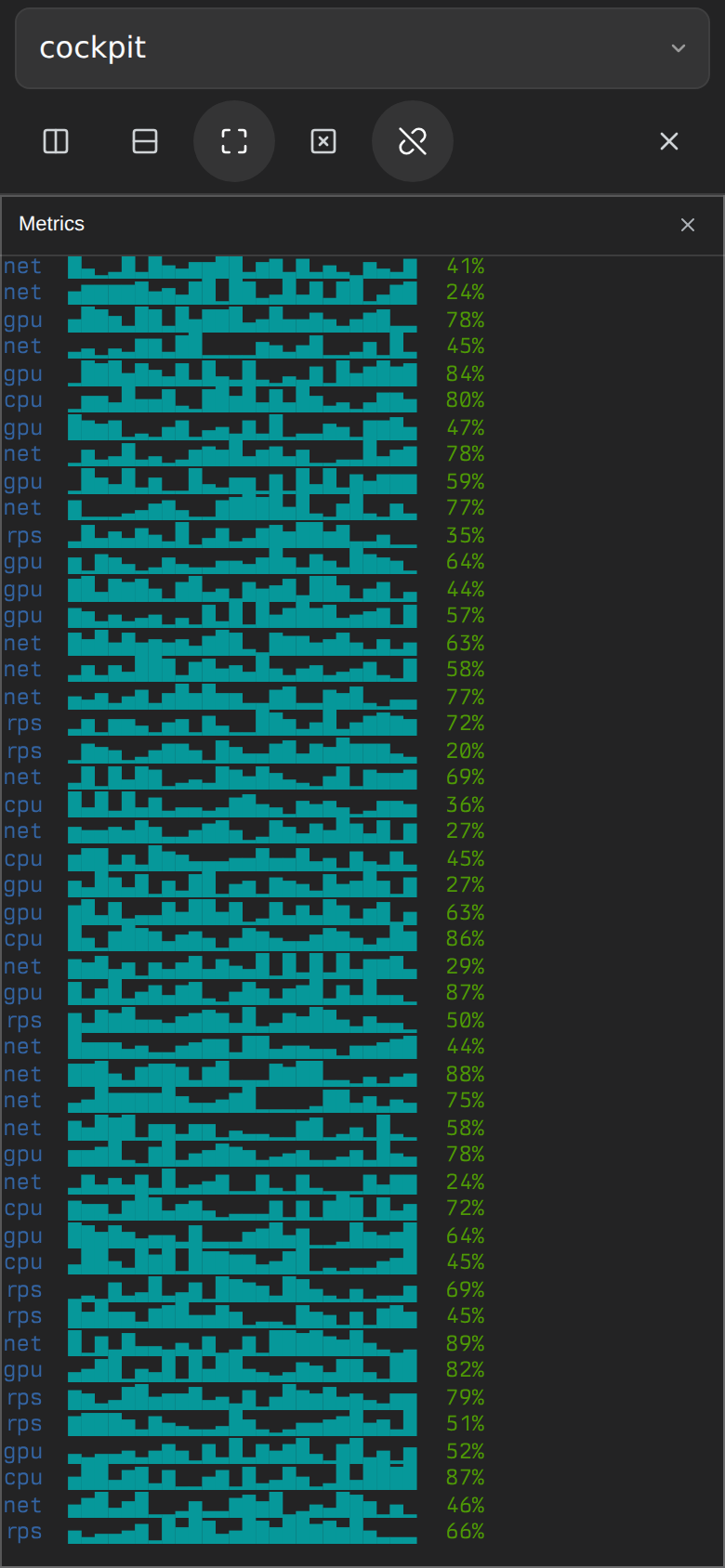
Interaction stays close to native tmux. Pane layout, window tabs, focus, splits, and resizing all stay synchronized with the backend; keystrokes travel through hex-encoded send-keys so Unicode paste and special keys arrive intact. Sizing is deliberate: when another sizing client is attached the dock switches to mirror mode and never alters that client's geometry; when it is the only client it takes over and renders at native resolution. On mobile the dock becomes a full-screen drawer that preserves the real tmux grid, supports touch panning with momentum, locks the page scroll behind it, and keeps fonts above a readable floor even when the on-screen keyboard is up.
It is built for developers who run a unified browser-based workbench with several CLI panes visible at once, and for anyone who wants a quick multi-pane glance from a phone or tablet. As long as tmux is on the host and DSH serves a Web profile, a button in the corner is all you need to open your multi-pane cockpit.
截图预览
使用场景
- 在 DSH Web 多次切换聊天时持续查看 agent 面板与 CI 日志
- 用手机或平板在外出时快速瞄一眼宿主机上的 tmux 多面板
- 以镜像模式观察他人 tmux session 而不改变其窗口尺寸
适合人员
- 重度使用 tmux 多面板工作流的终端开发者
- 偏好浏览器统一工作台、不想在桌面窗口间来回切换的工程师
- 需要在移动设备上临时查看远程终端状态的运维人员
相关插件
DSH 服务化侧边栏框架,提供文件工作台、内嵌浏览器、真实终端、Git 面板等完整工作台,并开放服务供插件扩展。

美观实用的 Claude Code 风格 TUI 插件:像素鲸鱼顶栏、流光大字、实时状态行、思考流式展开、时间回溯、上下文进度条与 TPS 仪表,零核心改动。

DeepSeek Harness 插件市场:浏览/搜索/一键安装社区插件与主题,支持更新、备份、热禁用、诊断与AI修复。

DSH Web 界面右下角常驻小鲸鱼余额挂件,自动显示 DeepSeek 余额、今日已用与每轮对话消耗,支持拖拽吸附与音效。