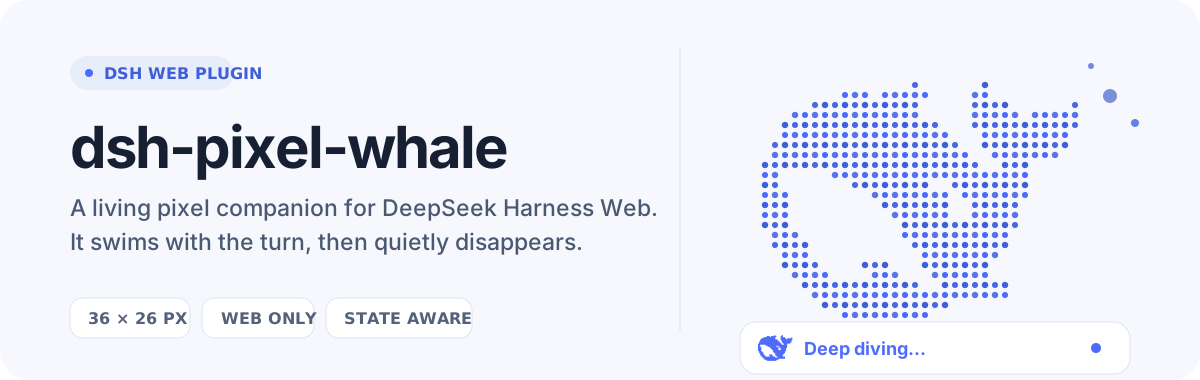
dsh-pixel-whale
在终端中运行以下命令:
dsh plugin install yoke233/dsh-pixel-whale
将以下提示词粘贴到 DeepSeek Harness 对话框中:
在 DeepSeek Harness 终端中执行 dsh plugin install yoke233/dsh-pixel-whale 即可安装,插件源码地址为 https://github.com/yoke233/dsh-pixel-whale ,安装完成后重启 DSH Web 即可自动生效。
插件介绍
Staring at the bare «Deep diving...» line while waiting for a reply is one of those small frustrations that add up over a long workday. dsh-pixel-whale fills that blank with a 36×26 px point-cloud whale that materialises right in front of the status text the moment a turn starts and fades away the instant it ends—no commands to run, no settings to tweak; install it, restart DSH Web, and it is simply there.
The animation is built around a heavy-head, supple-body philosophy: the broad head stays grounded while the torso bends, the tail and pectoral fins snap back with a springy rebound, and tiny bubbles rotate quietly between loops. Pixel colours are locked to a restrained blue palette so the eye tracks body movement rather than flickering points, and the whole scene honours the system prefers-reduced-motion preference for users who need a calmer visual experience.
The plugin is strictly Web-surface cosmetic: it touches no prompt logic, no tool calls, no model requests, and writes no session data. If you spend a lot of time in DSH Web chatting with DeepSeek and would enjoy a small living vignette during the wait, this is your plugin.
截图预览

使用场景
- 等待 DeepSeek 回复时,鲸鱼在状态行前游动,让等待不再枯燥
- 长时间在 DSH Web 中与 AI 对话,鲸鱼为每次轮次增添一点小惊喜
- 向同事展示 DSH Web 界面时,鲸鱼动画是一个轻松有趣的谈资
- 在 prefers-reduced-motion 环境下,鲸鱼以静态像素呈现,依然保持精致
适合人员
- 日常使用 DSH Web 与 DeepSeek 长对话的用户
- 喜欢像素风和趣味 UI 小装饰的开发者
- 希望在不影响任何功能的前提下给界面增添个性的用户
相关插件

鲸鱼少女是 DSH Web GUI 右下角的桌面宠物,可拖拽、喂食、玩耍;完成任务、会话与陪伴时间会累积为等级、头衔和记忆。

将本机 Wallpaper Engine 壁纸渲染为 DSH 界面背景,支持视频、网页及场景壁纸,配液态玻璃与丰富调节。

为 DeepSeek Harness 打造的 WebGPU 海洋皮肤,保留五波 Gerstner 海浪,支持半透明主题、昼夜循环与快速调节,可作插件或扩展安装。

为 DSH Web GUI 会话页提供 Galgame 风格对话视图与场景元素可视化编辑器,内置可实时同步的编辑模式。