everyconnect
在终端中运行以下命令:
dsh plugin install baiyingawa/everyconnect
将以下提示词粘贴到 DeepSeek Harness 对话框中:
在 DeepSeek Harness 中执行 dsh plugin install baiyingawa/everyconnect 即可安装该插件,项目源码见 https://github.com/baiyingawa/everyconnect 。
插件介绍
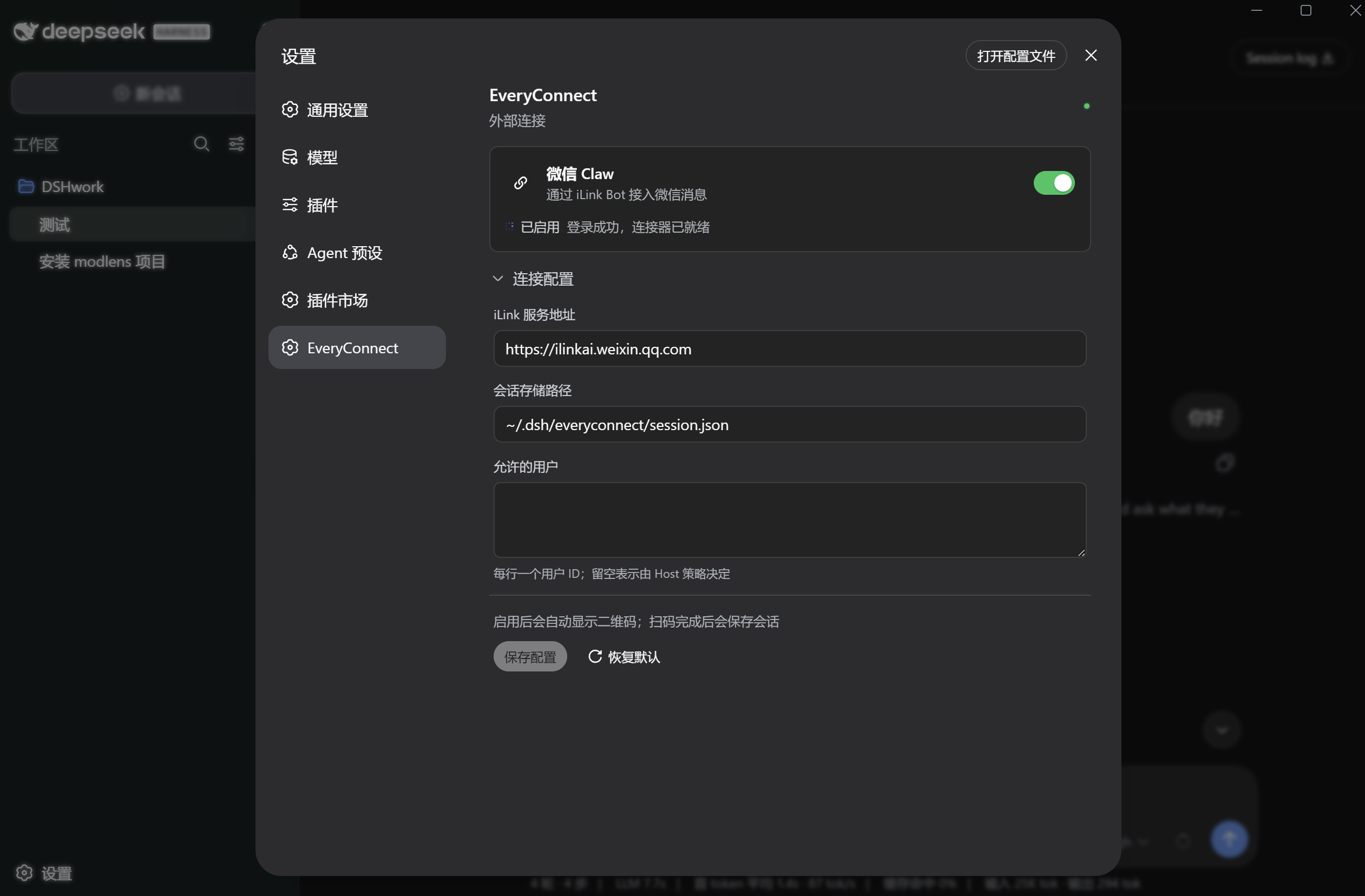
DSH offers powerful AI and conversation features, but they are confined to the desktop app. EveryConnect bridges WeChat iLink Bot into DSH's session layer, so a WeChat message is routed to the matching DSH conversation and the assistant reply flows back to WeChat, completing a full interaction loop. Users simply scan a QR code in the DSH settings page to activate the connector; the plugin reuses DSH's model and session capabilities rather than embedding a separate AI provider.
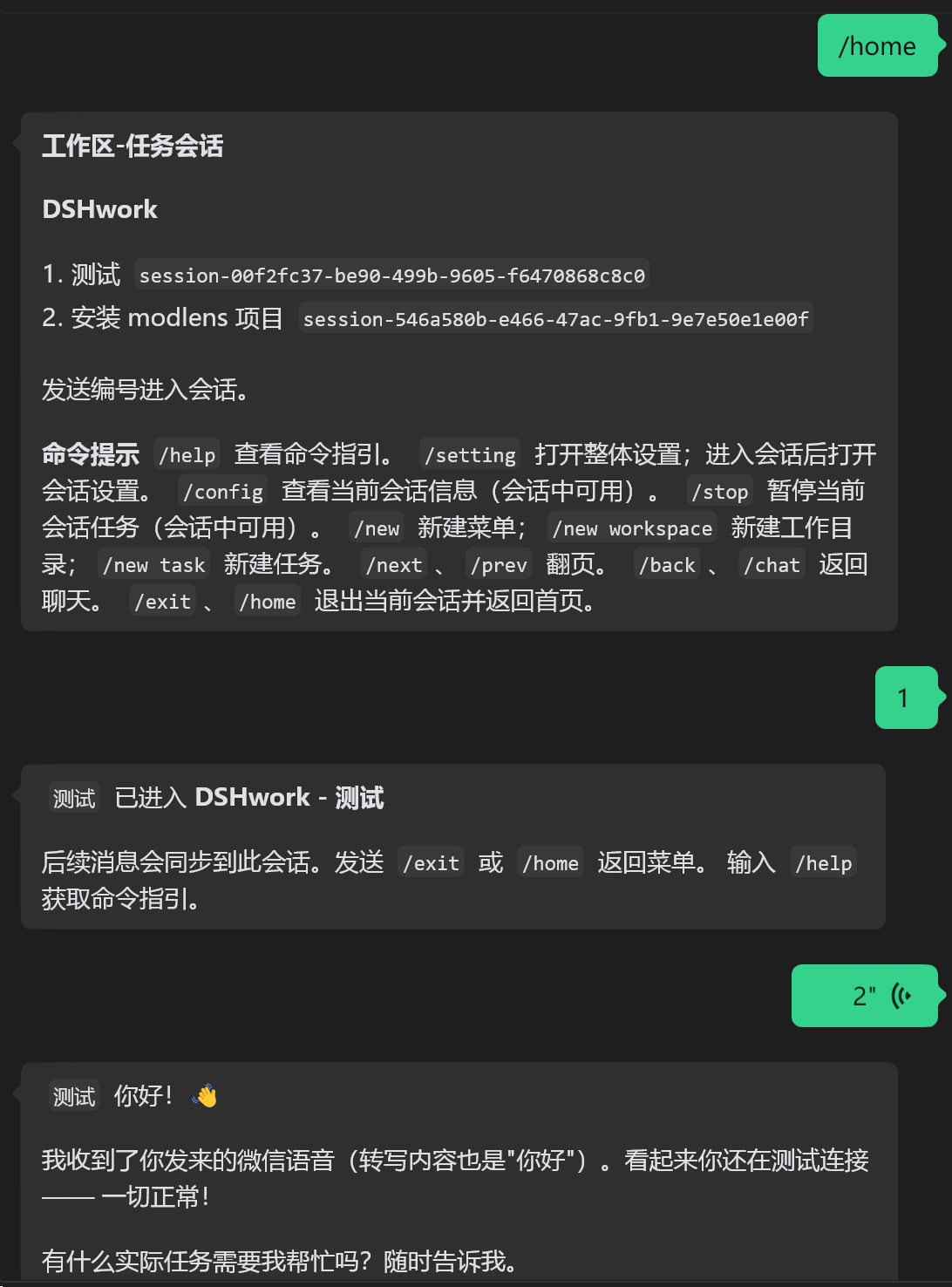
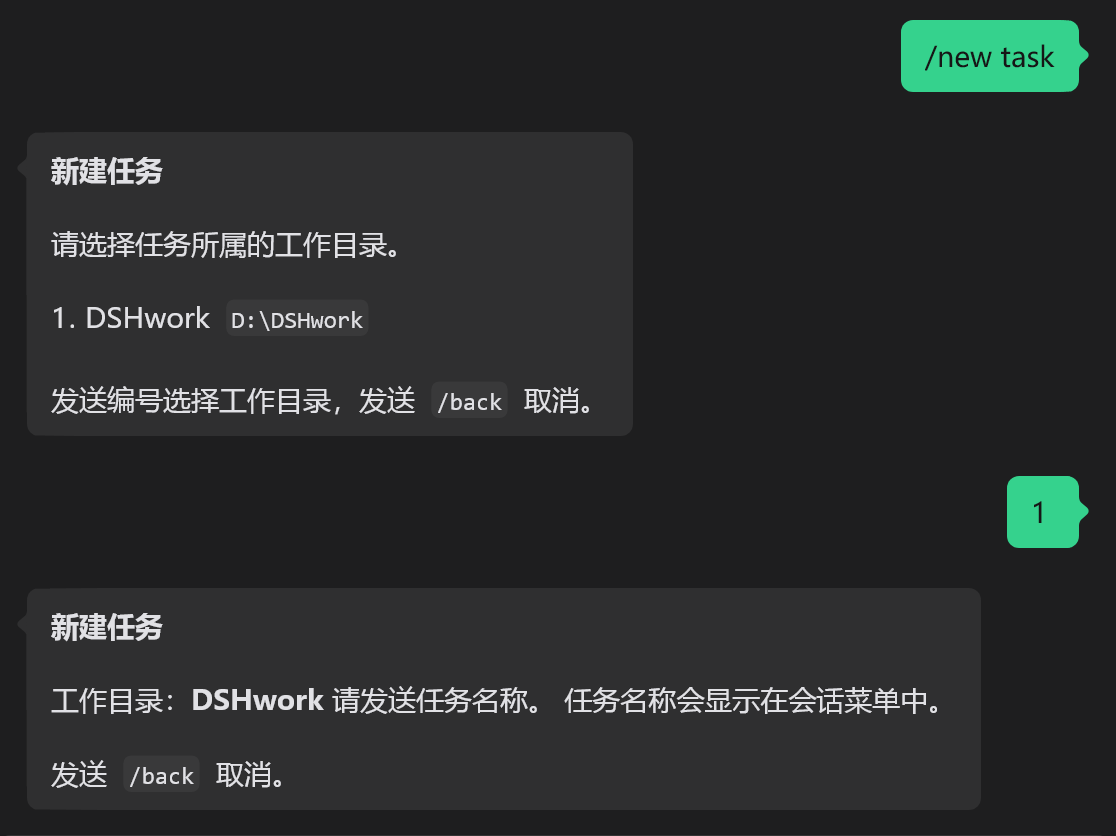
Message handling spans text, voice, and files. Voice and file attachments are downloaded from the iLink CDN, decrypted, and handed to DSH for processing while preserving original filenames and MIME types. Replies are re-formatted for WeChat: bold, italic, strikethrough, and inline code are kept native, while links, headings, quotes, and fenced code blocks are converted to WeChat-friendly plain text. A workspace-and-task session menu supports paging, creating new tasks, and cancelling operations. Messages from the same source are processed in order, different sources use independent queues, and every network call or long-poll is lifecycle-bound and cancellable.
It suits DSH Desktop users who want their assistant inside WeChat for daily work, and also serves as a clean architectural reference for multi-platform connectors. The codebase is split into a platform-agnostic interface layer, a WeChat adapter, a DSH host layer, and a web client, so adding WeCom or other IM adapters later requires only a new adapter module without touching the core routing logic.
截图预览
使用场景
- 在微信中直接与 DSH AI 会话对话,无需切换到桌面端
- 通过微信发送语音或文件,DSH 处理后自动回复到聊天窗口
- 在微信中管理多个工作区与任务会话,随时创建、切换和退出
适合人员
- 希望把 DSH AI 能力带入微信日常对话的桌面端用户
- 需要移动端随时调用 DSH 会话与模型能力的开发者
- 想基于分层架构扩展企业微信或其他 IM 连接器的开发者
相关插件

为 DeepSeek Harness 打造的免费联网搜索插件,支持网页搜索、X 搜索与页面抓取,免注册免 API Key,多引擎自动故障转移。

AnySearch 驱动的 DeepSeek Harness 联网插件,借助原生 web_search/web_fetch 实现实时搜索、内容清洗、垂直搜索与并发批量搜索,免 API key 快速开始。
Pixel-perfect 网页克隆工具,基于 agent harness 将任意网页克隆为可评分的 React 全页面副本。

DeepSeek Harness 会话费用统计插件,中英双语界面,支持预算、官方与自定义 Provider 余额、OpenCode Go/Coding Plan 额度、峰谷计价与提醒、历史统计等。