dsh-peak-hours
在终端中运行以下命令:
dsh plugin install lco117/dsh-peak-hours
将以下提示词粘贴到 DeepSeek Harness 对话框中:
在 DeepSeek Harness 终端中执行 dsh plugin install lco117/dsh-peak-hours,或从源码仓库 https://github.com/lco117/dsh-peak-hours 手动安装即可启用该插件。
插件介绍
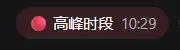
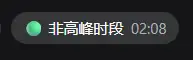
When you are waiting on a long response or queuing tasks in DeepSeek Harness, the most natural question is simply: is it a peak hour right now? dsh-peak-hours pins the answer to the top bar of every conversation as a small red-or-green badge, so you can glance and move on. It always evaluates against Beijing time (UTC+8), treating 09:00–12:00 and 14:00–18:00 as peak windows and everything else as off-peak, with the current Beijing time displayed alongside. The status stays correct no matter which timezone your machine is in.
The plugin is deliberately zero-overhead by design. All time calculation runs entirely in the browser with no network requests and no extra model calls. The badge refreshes every fifteen seconds, so the color flips within a short window of any boundary crossing without a page reload. You can switch the badge language between Chinese and English in Settings, and the choice persists across restarts. Visually it inherits the shell semantic color tokens, so it looks at home in both light and dark themes.
It is a quiet, low-friction addition for anyone who uses DSH conversations daily and likes to time their longer prompts away from the rush. Open any session, see the small badge at the far left of the header, and know at a glance whether the service is likely busy.
截图预览
使用场景
- 排队发送长 prompt 前快速判断当前是否处于服务高峰
- 多时区协作时以北京时间为统一基准感知忙碌程度
- 避开高峰窗口,将耗时任务安排在非高峰时段执行
适合人员
- 日常高频使用 DSH 会话的开发者
- 偏好纯客户端、零网络请求的轻量插件用户
- 以北京时间为主要工作参考的中文场景用户
相关插件

鲸鱼少女是 DSH Web GUI 右下角的桌面宠物,可拖拽、喂食、玩耍;完成任务、会话与陪伴时间会累积为等级、头衔和记忆。

将本机 Wallpaper Engine 壁纸渲染为 DSH 界面背景,支持视频、网页及场景壁纸,配液态玻璃与丰富调节。

为 DeepSeek Harness 打造的 WebGPU 海洋皮肤,保留五波 Gerstner 海浪,支持半透明主题、昼夜循环与快速调节,可作插件或扩展安装。

为 DSH Web GUI 会话页提供 Galgame 风格对话视图与场景元素可视化编辑器,内置可实时同步的编辑模式。