dsh-powerdesk
在终端中运行以下命令:
dsh plugin install FleetingEcho/dsh-powerdesk
将以下提示词粘贴到 DeepSeek Harness 对话框中:
在终端中执行 dsh plugin install FleetingEcho/dsh-powerdesk,插件源码位于 https://github.com/FleetingEcho/dsh-powerdesk ,安装完成后按 Cmd/Ctrl+Shift+R 强制刷新浏览器即可使用。
插件介绍
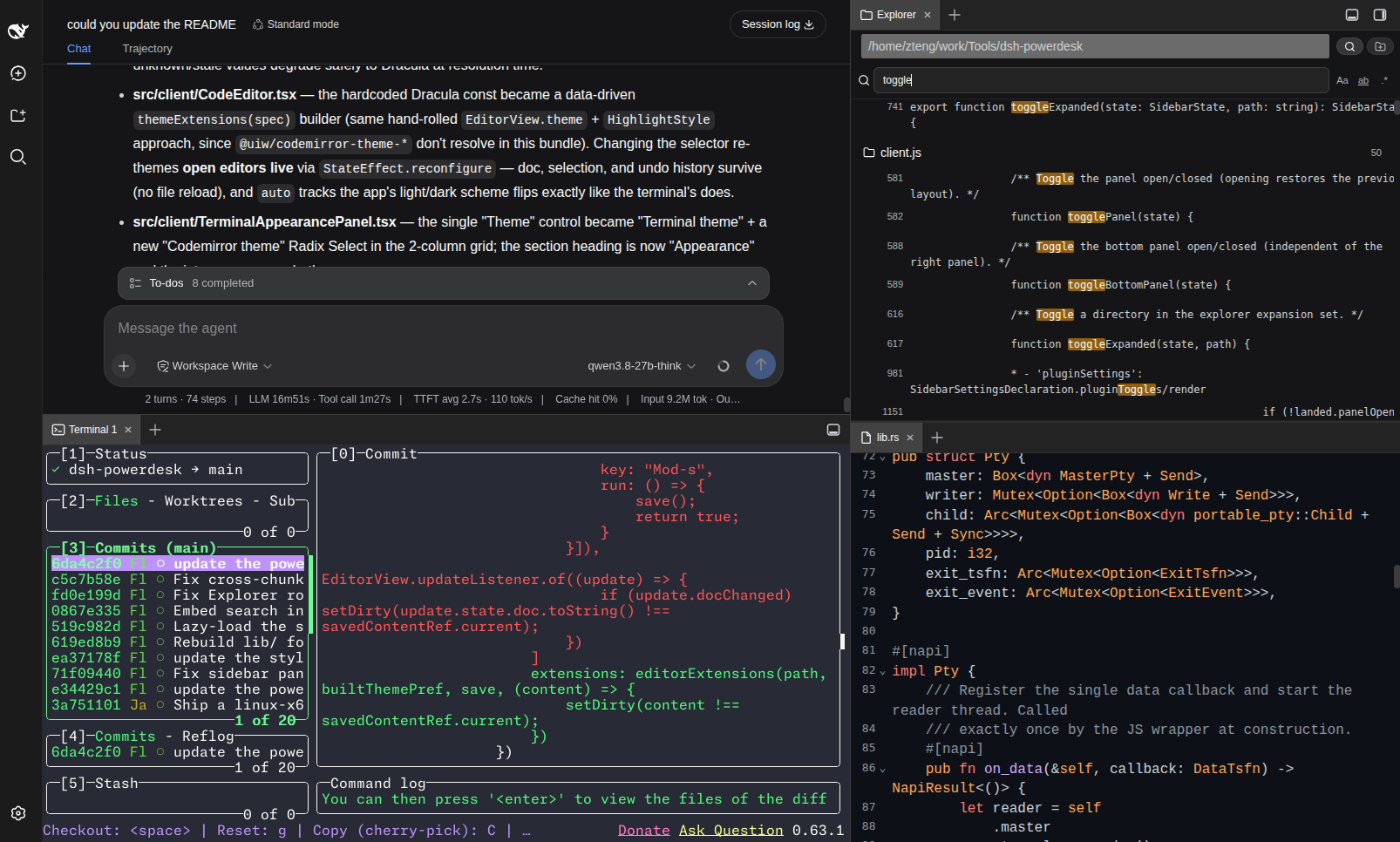
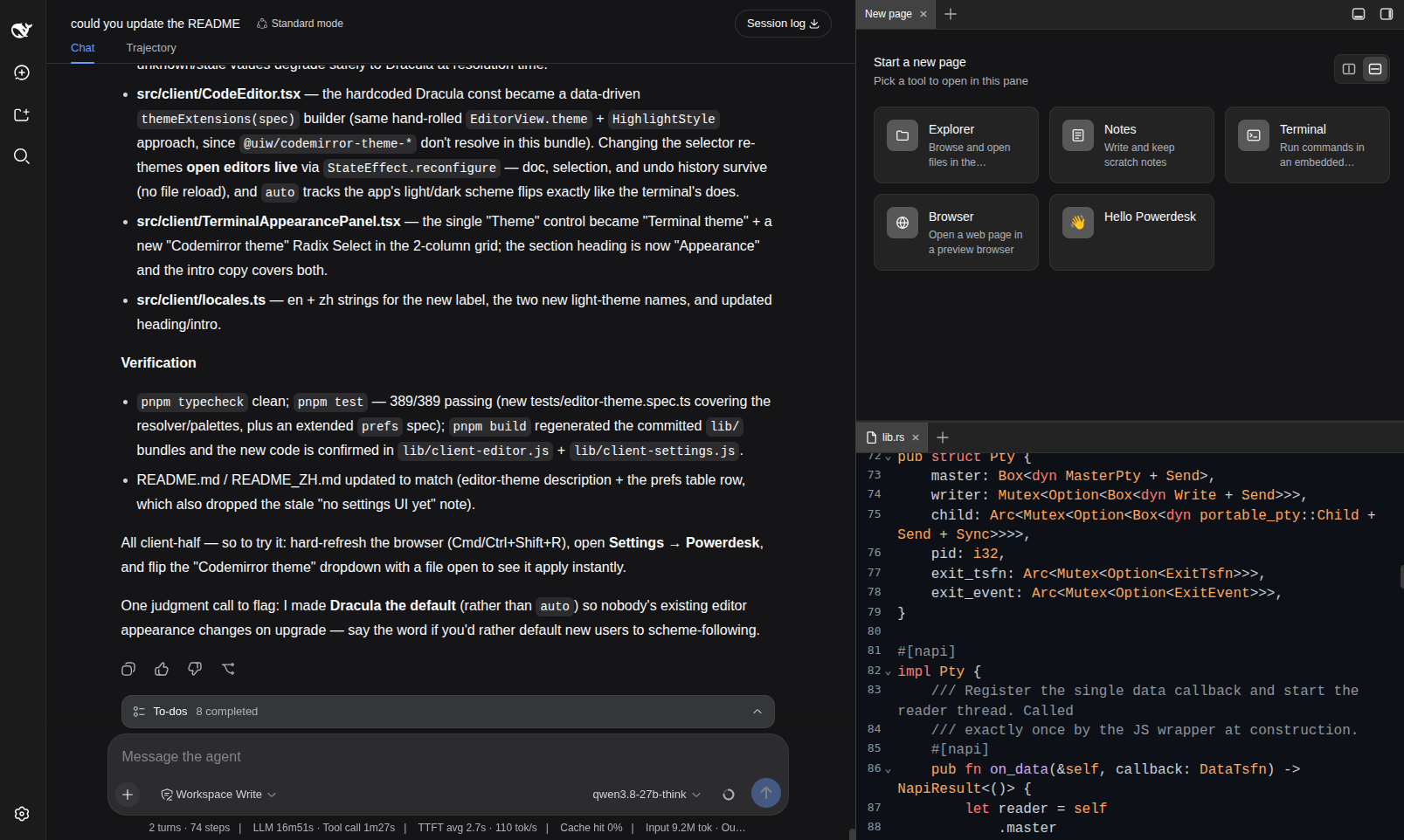
Writing code, reading files, and running commands inside a DSH chat session usually means breaking context: hopping to a terminal app, opening an IDE, then coming back. dsh-powerdesk embeds a lightweight IDE workbench directly into the DSH web UI as a dockable right panel and a dockable bottom panel, so you can develop without ever leaving the conversation page.
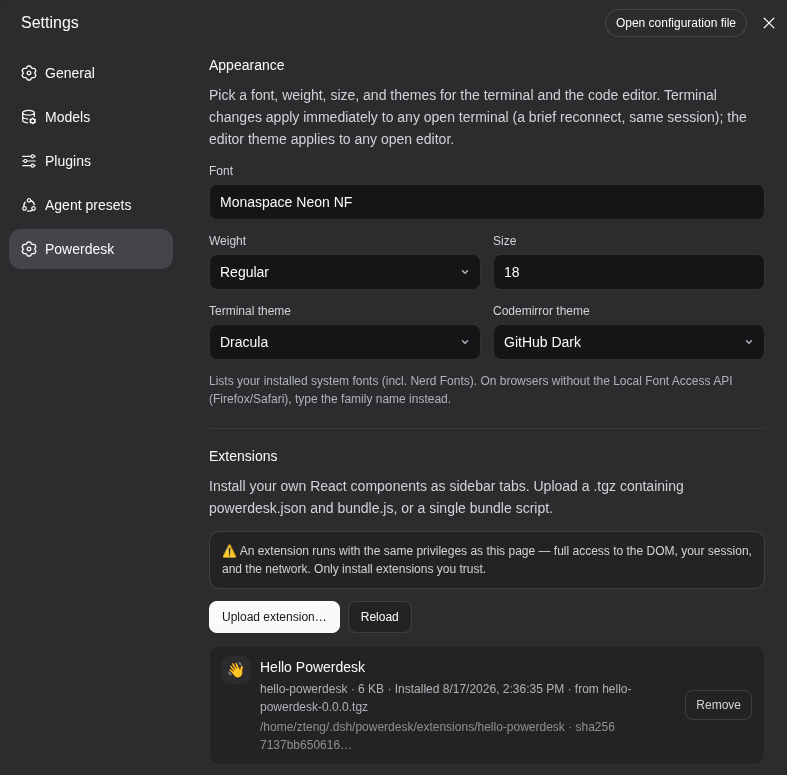
Six tools live as tabs in the dual draggable panel: a GPU-accelerated terminal built on restty (WebGPU/WebGL2 + WASM VT) backed by a Rust PTY via napi-rs and portable-pty, delivering noticeably faster I/O than the stock C++ node-pty; a file explorer with bookmarked local folders and per-file relative-path and absolute-path copy actions for chat mentions; a Markdown notes app that recursively lists .md files under a bound folder with inline create, rename, and delete; a CodeMirror 6 editor with syntax highlighting for TypeScript, JavaScript, Python, JSON, CSS, HTML, Markdown, Rust, and YAML, plus live theme switching; a sandboxed embedded browser that probes X-Frame-Options and frame-ancestors headers and explains embedding refusals instead of showing a blank frame; and a schedule-x calendar over a local SQLite database, lazy-loaded so it never weighs down startup. Any tab can be dragged to a pane edge to split it or dragged across panels to move it entirely, using the same drag-and-drop model as VS Code split editors.
It is built for developers who use DSH daily for coding, debugging, and documentation work and want every supporting tool kept one tab-click away from the chat. The terminal connection, editor undo stack, and browser state all persist while you switch between tabs, so a quick note lookup or a grep in the terminal never costs you your place in the conversation.
截图预览
使用场景
- 在 DSH 聊天中直接查看和编辑项目文件,无需切换到外部 IDE
- 在对话进行中快速运行命令或 grep 搜索,不打断聊天上下文
- 将 DSH 作为日常开发工作台,同时管理终端、笔记与日历
适合人员
- 日常使用 DSH 进行编码和调试的开发者
- 希望不离开聊天页面即可完成轻量开发任务的工程师
- 追求 GPU 加速终端与 Rust PTY 性能提升的终端重度用户
相关插件
DSH 服务化侧边栏框架,提供文件工作台、内嵌浏览器、真实终端、Git 面板等完整工作台,并开放服务供插件扩展。

美观实用的 Claude Code 风格 TUI 插件:像素鲸鱼顶栏、流光大字、实时状态行、思考流式展开、时间回溯、上下文进度条与 TPS 仪表,零核心改动。

DeepSeek Harness 插件市场:浏览/搜索/一键安装社区插件与主题,支持更新、备份、热禁用、诊断与AI修复。

DSH Web 界面右下角常驻小鲸鱼余额挂件,自动显示 DeepSeek 余额、今日已用与每轮对话消耗,支持拖拽吸附与音效。