dsh-vmic
在终端中运行以下命令:
dsh plugin install Calvin451970353/dsh-vmic
将以下提示词粘贴到 DeepSeek Harness 对话框中:
在 DeepSeek Harness 中打开设置 → 插件 → 添加插件,填入 https://github.com/Calvin451970353/dsh-vmic 并启用该插件。
插件介绍
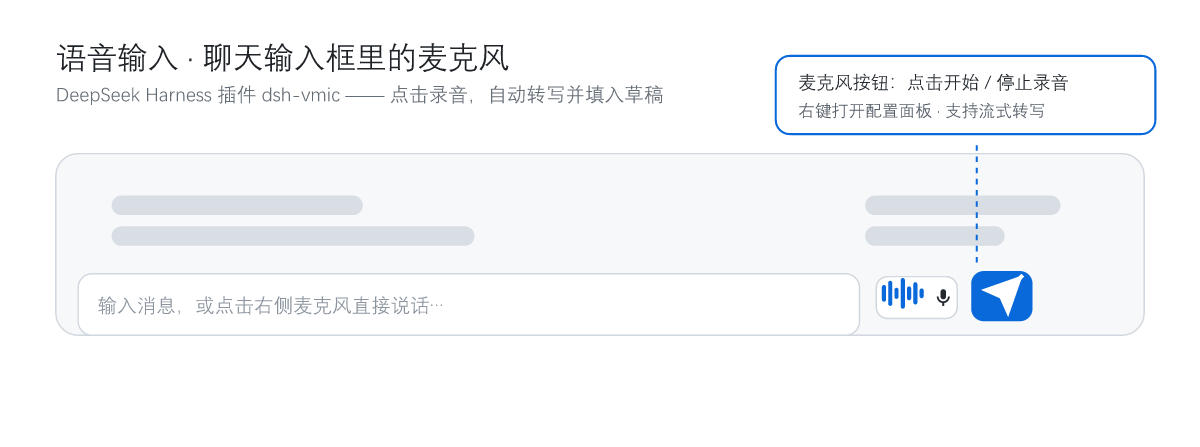
Typing is not the only way to talk to DSH. When you are walking, cooking, or your hands are occupied, the keyboard becomes a tax. dsh-vmic adds a 🎙️ microphone button right beside the chat input: speak, stop, and your words are transcribed into the draft for you to review before the currently selected model handles the request. Speech recognition only acts as a dictation layer, fully decoupled from the main model, so you never need to switch models just to dictate a sentence.
It covers everything a daily voice-input workflow needs. A live spectrum animation renders next to the input box while recording, so the audio state is visible at a glance; click to start, click again to stop and transcribe, and right-click to open the configuration panel anytime. Two built-in providers are included: Xiaomi MiMo, which speaks an OpenAI-compatible dialect, and Volcengine Doubao, which uses a WebSocket binary-frame protocol with streaming transcription, so you can switch freely in the panel or add your own openai-compatible provider. When you want cleaner text, optional LLM polishing can strip conversational filler, fix typos and punctuation, and by default reuses the DEEPSEEK_API_KEY already present in DSH. Security is taken seriously: all API keys live only inside the server-side credentials seal, and the browser can tell whether one is configured but never sees the plaintext. A built-in connectivity test sends a short clip and returns latency plus recognized text, making it easy to pinpoint network or auth problems.
It suits two kinds of users. First, anyone who would rather speak than type and wants to dump thoughts into DSH quickly, especially for long passages where typing and editing would feel tedious. Second, privacy-conscious users who do not want secrets exposed in the frontend; keeping keys sealed server-side, with echo-back restricted to the local loop, is exactly for that scenario. A bilingual Chinese/English UI keeps both habits comfortable.
截图预览
使用场景
- 走路、做饭或双手被占用时,直接说话把想法写进 DSH 草稿
- 长段落口述后检查一遍再回车发送,省去反复敲键盘
- 用豆包流式转写边说边出字,等待更少
- 配置面板里一键切换 MiMo 与豆包,不影响当前选中的模型
适合人员
- 喜欢说话胜过打字、想把口述内容快速交给 DSH 处理的用户
- 经常撰写长文、做会议记录或头脑风暴的文字工作者
- 关注安全、不希望 API Key 出现在前端的隐私敏感用户
- 想少按键盘、用语音驱动日常问答流程的效率用户
相关插件

DeepSeek Harness 社区「破甲」插件:84 条宿主补丁、25 层自检与侧栏整页设置,本机可见状态、快照回滚,减少确认打断,让 Agent 更连贯地辅助学习与动手实验。
DSH 服务化侧边栏框架,提供文件工作台、内嵌浏览器、真实终端、Git 面板等完整工作台,并开放服务供插件扩展。
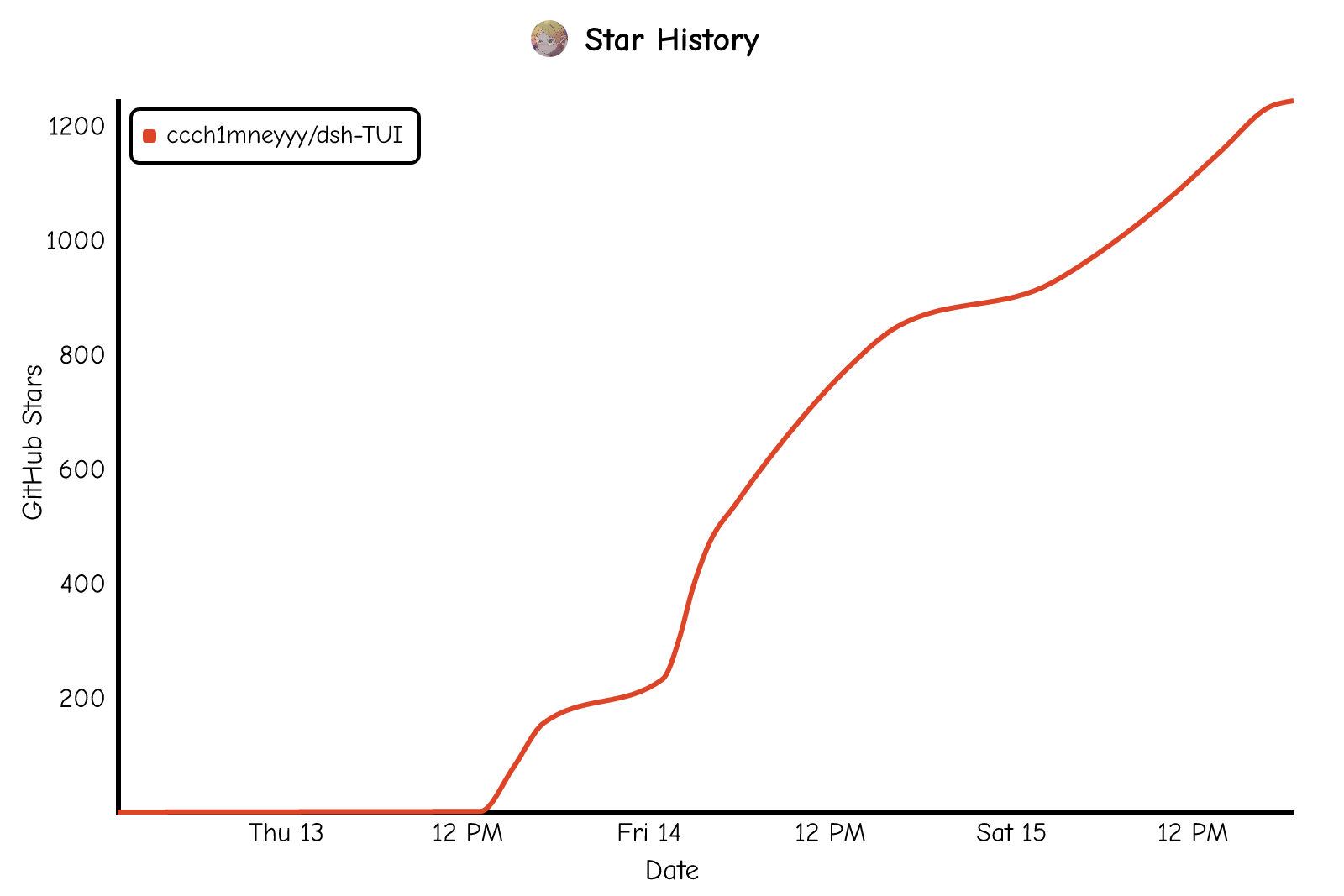
美观实用的 Claude Code 风格 TUI 插件:像素鲸鱼顶栏、流光大字、实时状态行、思考流式展开、时间回溯、上下文进度条与 TPS 仪表,零核心改动。
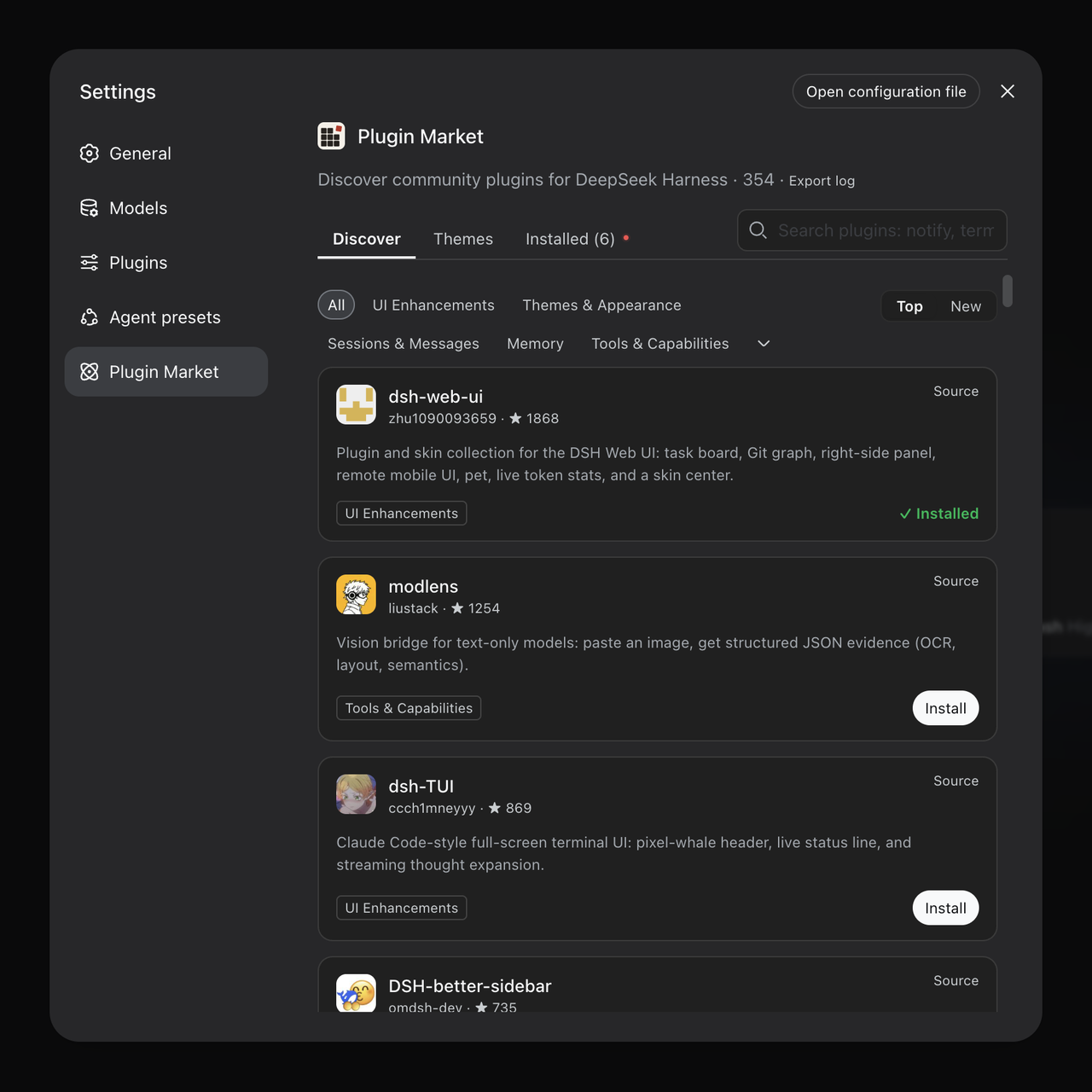
DeepSeek Harness 插件市场:浏览/搜索/一键安装社区插件与主题,支持更新、备份、热禁用、诊断与AI修复。