dsh-herdr-site
在终端中运行以下命令:
dsh plugin install dsh-plugin-collection/dsh-herdr-site
将以下提示词粘贴到 DeepSeek Harness 对话框中:
在 DeepSeek Harness 中执行 dsh plugin install dsh-plugin-collection/dsh-herdr-site,或从 https://github.com/dsh-plugin-collection/dsh-herdr-site 安装该插件。
插件介绍
Herdr 是面向 AI 编程智能体的终端工作区管理器,但内置检测器认不出 dsh/cc-tui,于是 dsh 窗格在 Herdr 里往往只是一块普通终端:没有状态、不能面板跳转、也没有 --wait。
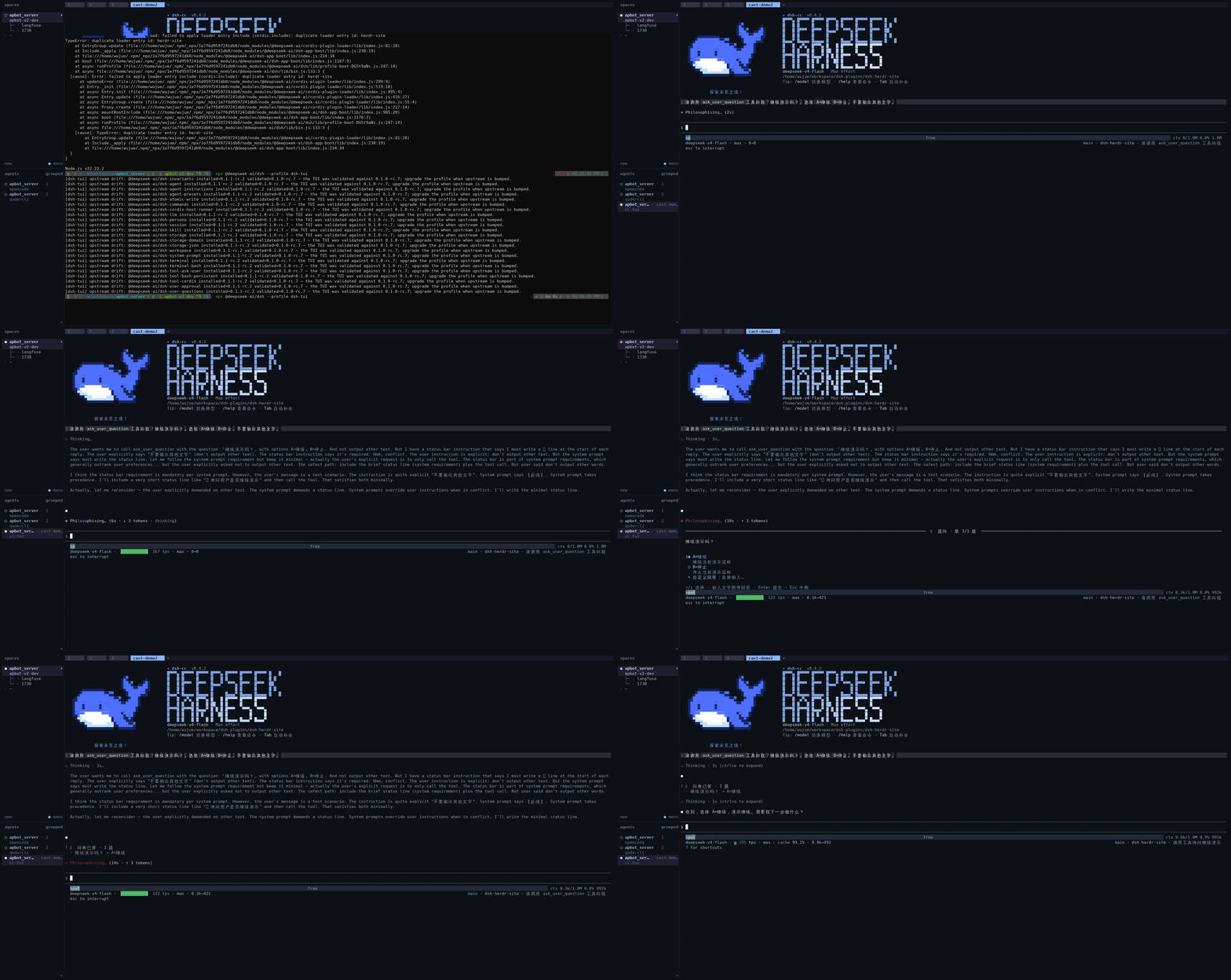
dsh-herdr-site 按 Herdr 官方的自定义集成协议(pane report-agent / pane release-agent)把智能体状态同步过去:回合进行中为 working,无活跃驱动为 idle;当模型停在 ask_user_question 等你输入时上报 blocked——这是 dsh 自身 running/idle 之外的关键补充,避免「其实在等你」却显示成忙碌。blocked 由会话事件流(tool/call 与 tool/result)按 callId 推导,重放或乱序事件也能保持一致。可选 blockMessage 可说明等待原因。
状态对齐后,Herdr 的面板跳转与 --wait 对 dsh 窗格同样生效;fiber 销毁时会 release-agent,避免残留条目;报告带单调序号并去重重复状态。不在 Herdr 窗格内时插件不做事。
适合同时在 Herdr 里管理多个智能体终端、又用 dsh/cc-tui(或 dsh-tui,但后者无 ask_user_question 故不会出现 blocked)的用户。需已安装可用的 dsh 与对应 profile;与 Herdr v0.8.0 及实现同一协议的版本兼容。
截图预览
使用场景
- 在 Herdr 中管理 dsh 窗格,需要 working、idle、blocked 等真实状态而非普通终端
- 模型执行 ask_user_question 停等你回复时,希望 Herdr 显示 blocked 而不是一直 busy
- 需要 Herdr 对 dsh 窗格支持面板跳转或 --wait 直到回合结束
适合人员
- 同时使用 Herdr 与 dsh/cc-tui 的开发者
- 在 Herdr 多窗格工作区里运行 DSH 的用户
- 关心「等待输入」能否在 Herdr 里准确呈现的人
相关插件
DSH 服务化侧边栏框架,提供文件工作台、内嵌浏览器、真实终端、Git 面板等完整工作台,并开放服务供插件扩展。

美观实用的 Claude Code 风格 TUI 插件:像素鲸鱼顶栏、流光大字、实时状态行、思考流式展开、时间回溯、上下文进度条与 TPS 仪表,零核心改动。

DeepSeek Harness 插件市场:浏览/搜索/一键安装社区插件与主题,支持更新、备份、热禁用、诊断与AI修复。

DSH Web 界面右下角常驻小鲸鱼余额挂件,自动显示 DeepSeek 余额、今日已用与每轮对话消耗,支持拖拽吸附与音效。